
Before you begin
Run this workflow regularly, not just once.
SkuWatch connects five jobs that merchants otherwise perform separately: Monitor, Explain, Fix, Verify, and Attribute. Complete the sequence for one important product first, then reuse it as an operating checklist.
Start with one product category and one customer need.
Good monitoring begins with specific commercial context. A generic store description produces generic questions and weak comparisons.
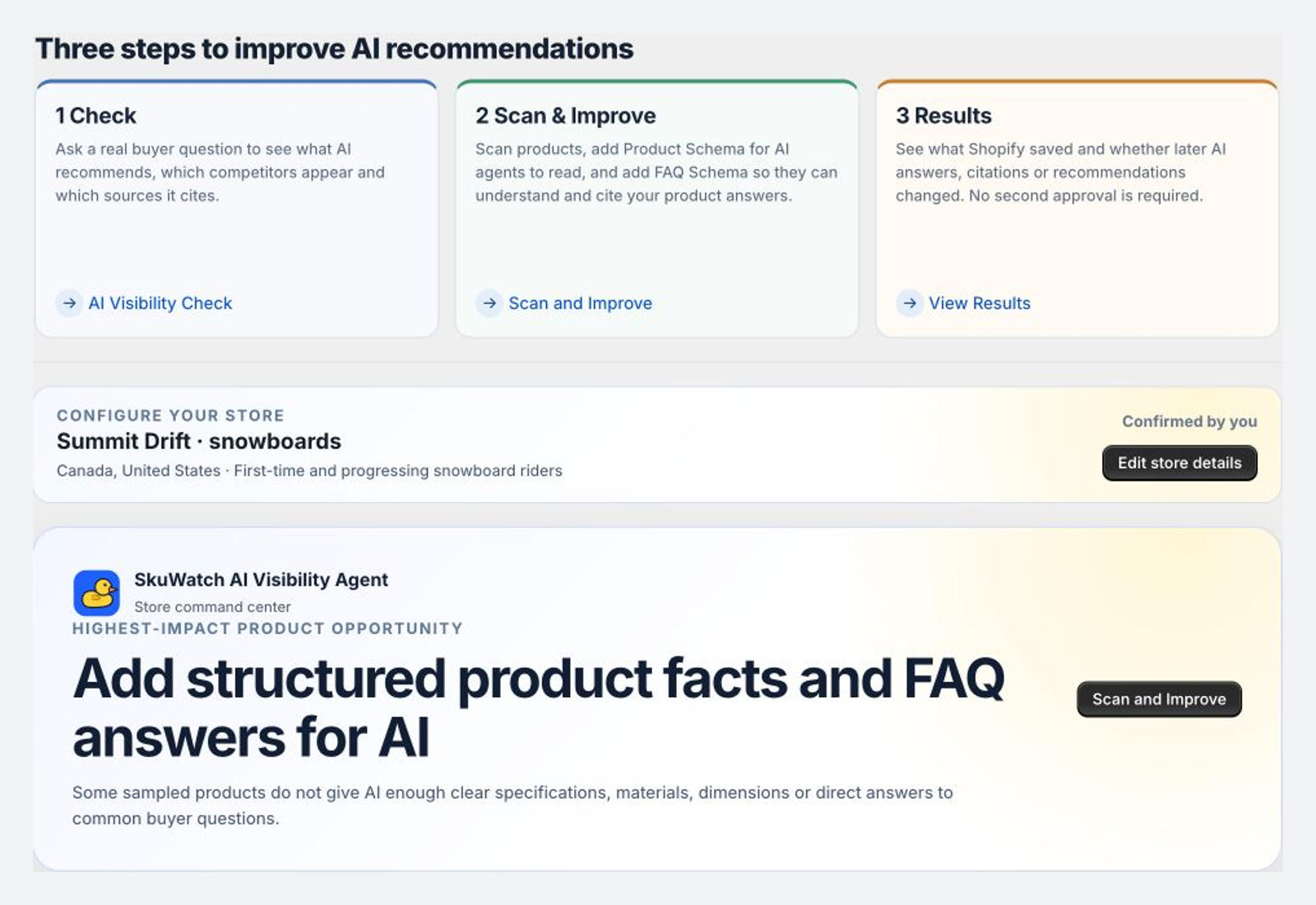
Configure store context
Confirm the public brand name, a focused product category, the markets you sell into, and the customer groups that matter. Write beginner crochet kits, not craft products.
- Brand: match the name shown on the storefront.
- Category: choose a category shoppers recognize and compare.
- Markets: use markets where your offer is actually available.
- Audience: describe a buyer by need, use case, experience, or constraint.
Choose the first action from the evidence you already have
Do not rewrite every product first. Establish a baseline. If no buyer question has been checked, start with AI Visibility. If the catalog has obvious missing facts, run the active-SKU audit. If a change is already live, verify it before creating another.
Run a buyer question
Learn which products, brands, competitors, and sources appear now.
Audit active SKUs
Find missing facts before asking AI platforms to interpret the catalog.
Verify first
Confirm Shopify saved the intended content and buyers can see it.
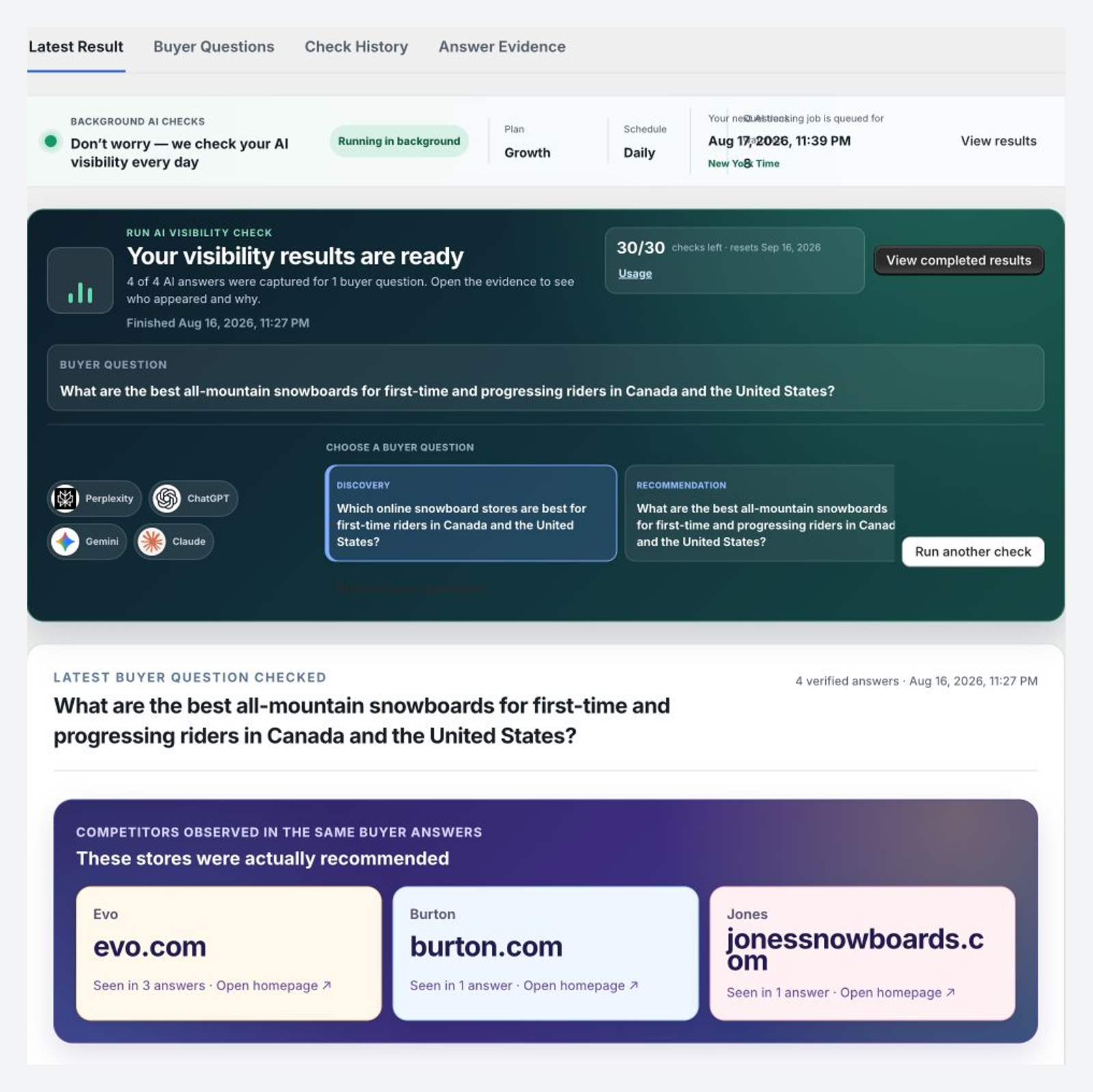
Check the same buyer question on four AI platforms.
Use the same realistic shopping need across ChatGPT, Claude, Gemini, and Perplexity. Recreate the decision a customer is trying to make.
Write a question with buying intent
A useful question includes the shopper, the need, meaningful constraints, and the decision they want help making.
Recommend a fragrance-free moisturizer under $40 for sensitive, acne-prone skin that ships to Canada. Compare texture, size, and who each option is best for.
Describes a real purchase, includes comparison criteria, and leaves the platform free to choose products.
"Is my brand good?" tests familiarity, not product discovery against a buyer need.
Run the same question across all four platforms
Keep wording, market, and product context consistent. SkuWatch checks the defined shopping question across the supported platforms and keeps each result separate.
- Confirm the question matches a category you sell.
- Confirm the market matches the storefront offer.
- Run ChatGPT, Claude, Gemini, and Perplexity together.
- Wait for each platform status before drawing a conclusion.
Read what appeared before deciding what it means
Record whether your brand appeared, whether a specific product appeared, which competitors were named, and which sources supported the answer.
| Signal | What to record | Why it matters |
|---|---|---|
| Product mention | Exact product and recommendation context | Shows whether it entered the comparison set |
| Brand mention | Brand named without a product | Can expose weak product-level evidence |
| Competitor | Products chosen for the same need | Creates the next practical audit set |
| Citation | Merchant, retailer, marketplace, or publisher | Shows where the answer found support |
Find out why other products appeared instead.
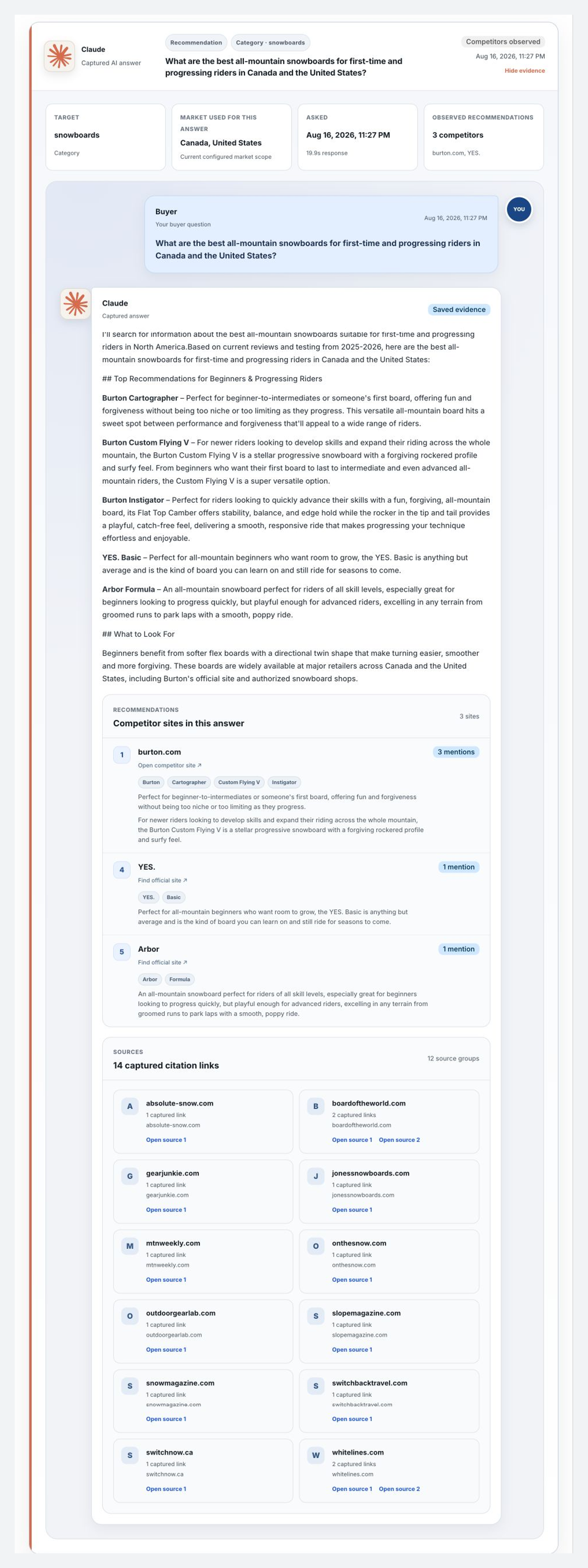
A mention alone is not enough. Open the answer, inspect the evidence, and compare what the selected products communicate better.
Open the full answer evidence
Read the answer in context. Look for product names, brands, merchants, comparison language, exclusions, and reasons attached to each recommendation.
- Read the complete response, not only the mention indicator.
- Separate your brand from individual products.
- Mark the criteria used to distinguish top choices.
- Note facts repeated consistently across platforms.
Identify which sources make products easy to verify
A merchant page proves different facts than a retailer, review publication, marketplace, or community discussion. Ask which claim each source made easier to support.
Canonical product facts
Identity, variants, price, dimensions, ingredients, compatibility, and policies.
Commercial corroboration
Offers, availability, category placement, ratings, and market reach.
Comparative evidence
Use cases, tradeoffs, testing, and reasons to prefer one product.
Turn competitor mentions into an audit checklist
Do not copy competitor prose. Compare facts used in the answer with facts your storefront exposes. If an answer selects a snowboard for powder, check terrain, rider level, profile, flex, size range, and riding style.
| Buyer criterion | Competitor evidence | Your evidence | Next action |
|---|---|---|---|
| Intended use | Explicit in description | Implied by lifestyle copy | Add a direct use-case statement |
| Compatibility | Structured table and FAQ | Missing | Publish confirmed facts |
| What is included | Clear package list | Only visible in an image | Add readable package contents |
| Who it is for | Specific buyer profile | Generic "for everyone" | State the strongest fit |
Fix the product information shoppers are missing.
Audit the active catalog, prioritize one commercially important product, and prepare content grounded in facts you can verify.
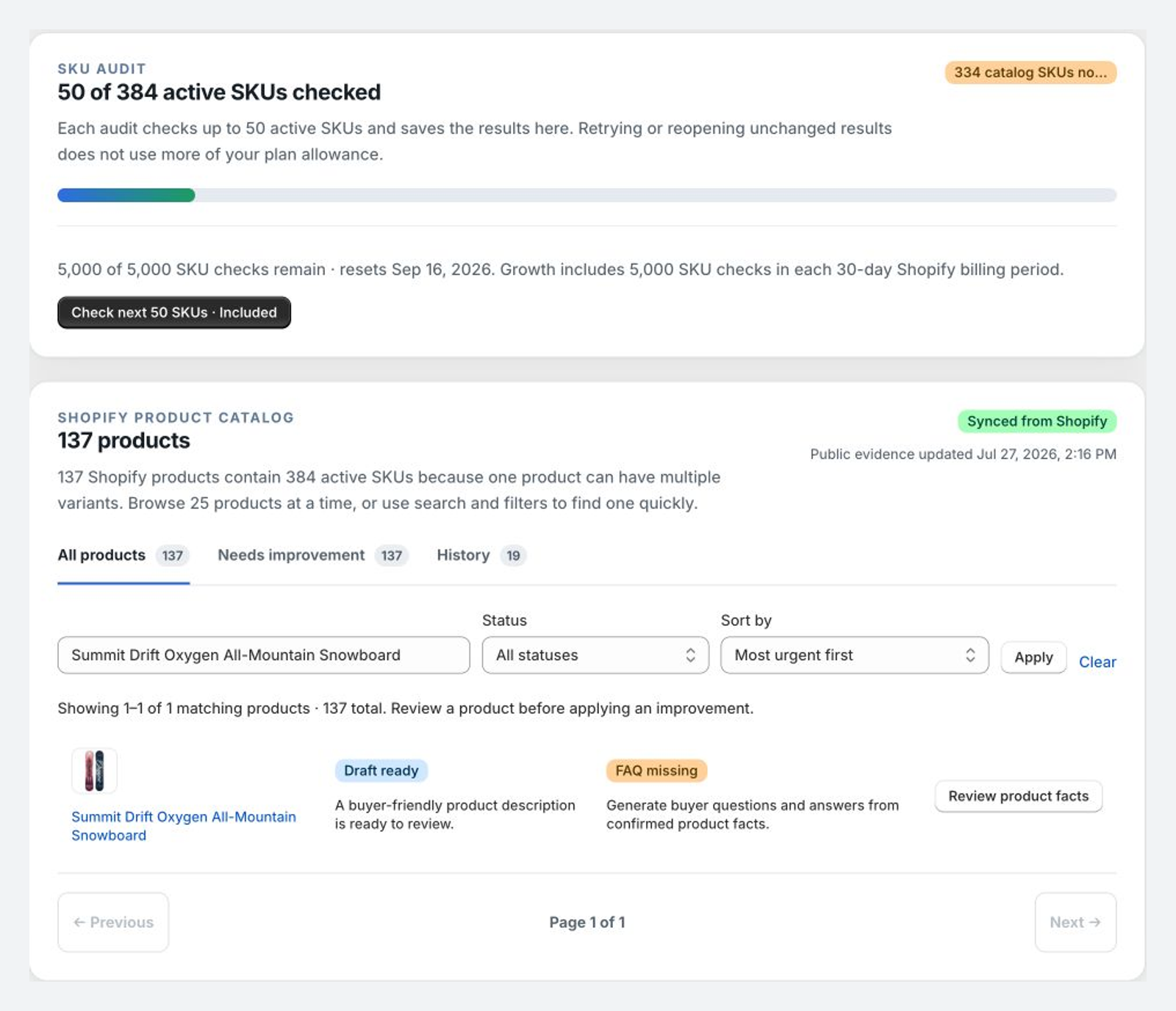
Run the active-SKU audit
Let the audit organize incomplete product evidence into specific findings. Review catalog progress, then open individual products instead of treating one score as the answer.
- Confirm identity across title, vendor, type, and category.
- Check intended use and important specifications.
- Review images, alt text, identifiers, price, and variants.
- Open findings for products tied to important buyer questions.
Prioritize by commercial impact, not the easiest edit
The first product should sit at the intersection of buyer demand, business value, and a clear evidence gap.
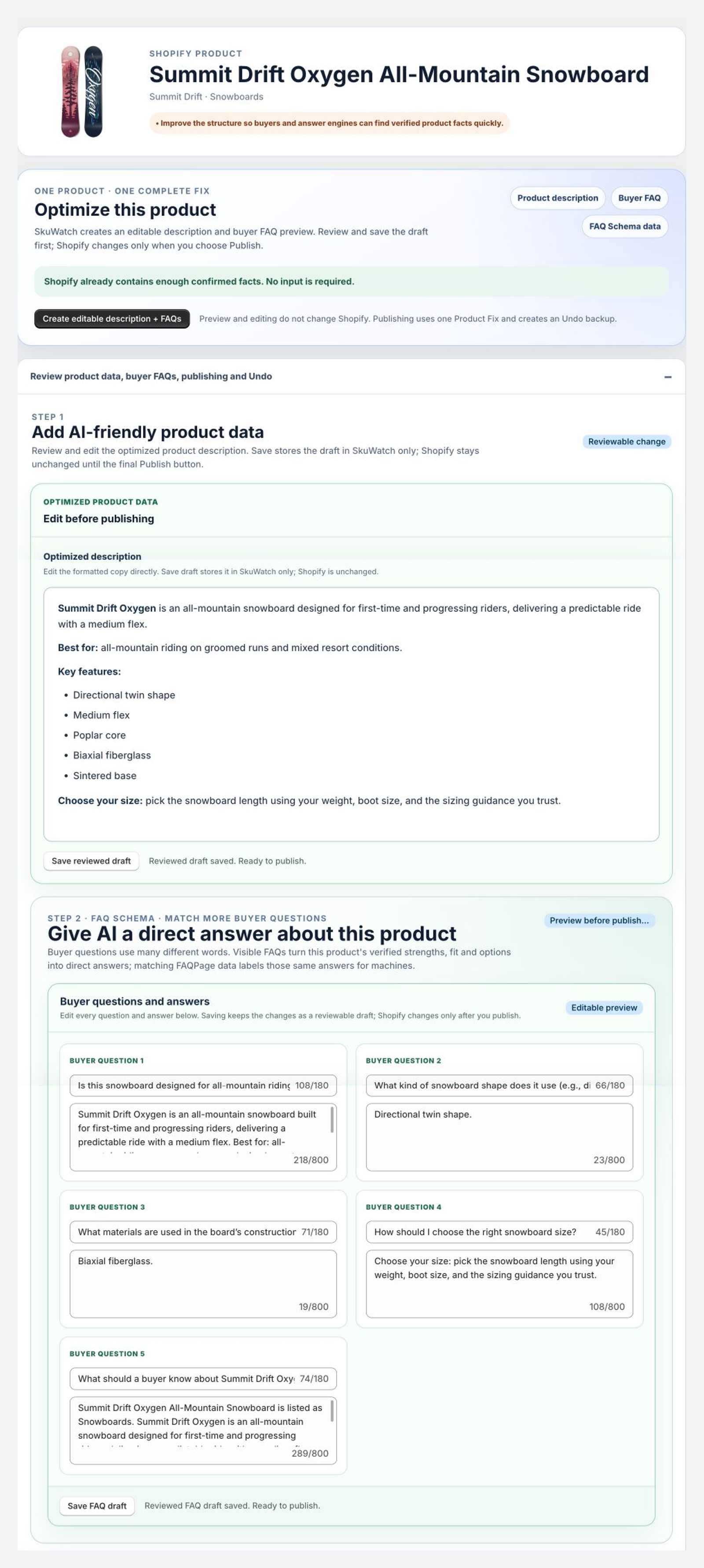
Edit the description and buyer FAQ
Review every sentence. Strong content answers selection questions directly while remaining useful to a human shopper.
Use a precise identity and category.
Name the buyer, use case, skill level, or problem.
State confirmed differentiators and tradeoffs.
Include fit, ingredients, compatibility, or dimensions.
Clarify quantity, components, or package contents.
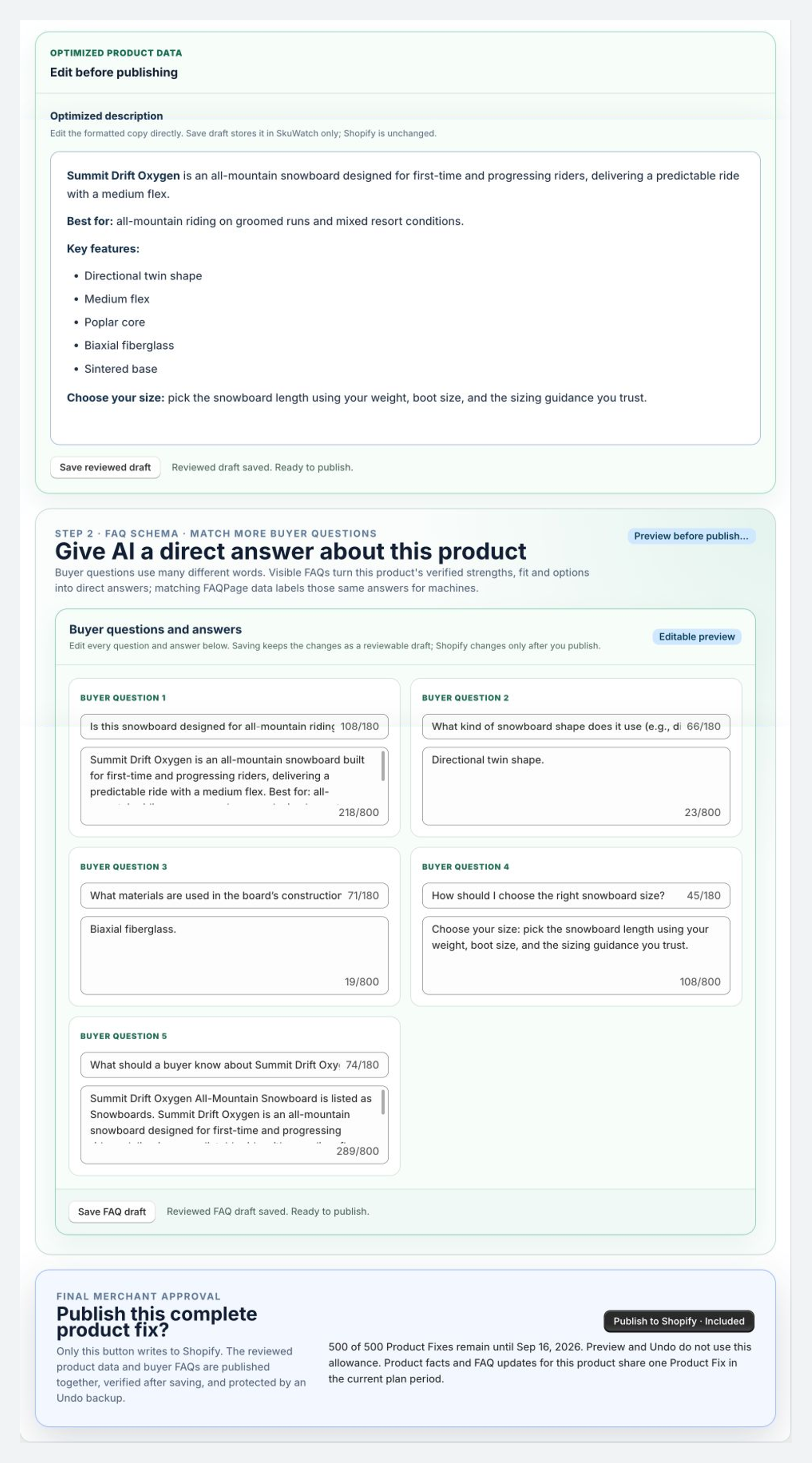
Preview the exact Shopify change
Read the final preview as both a shopper and catalog owner. Confirm accuracy, useful answers, and preservation of important existing content.
- Confirm names, quantities, dimensions, materials, and compatibility.
- Do not hard-code changing price or availability in evergreen prose.
- Make sure FAQ answers add information instead of repeating copy.
- Confirm content matches the product and market being edited.
- Publish only after the preview earns approval.
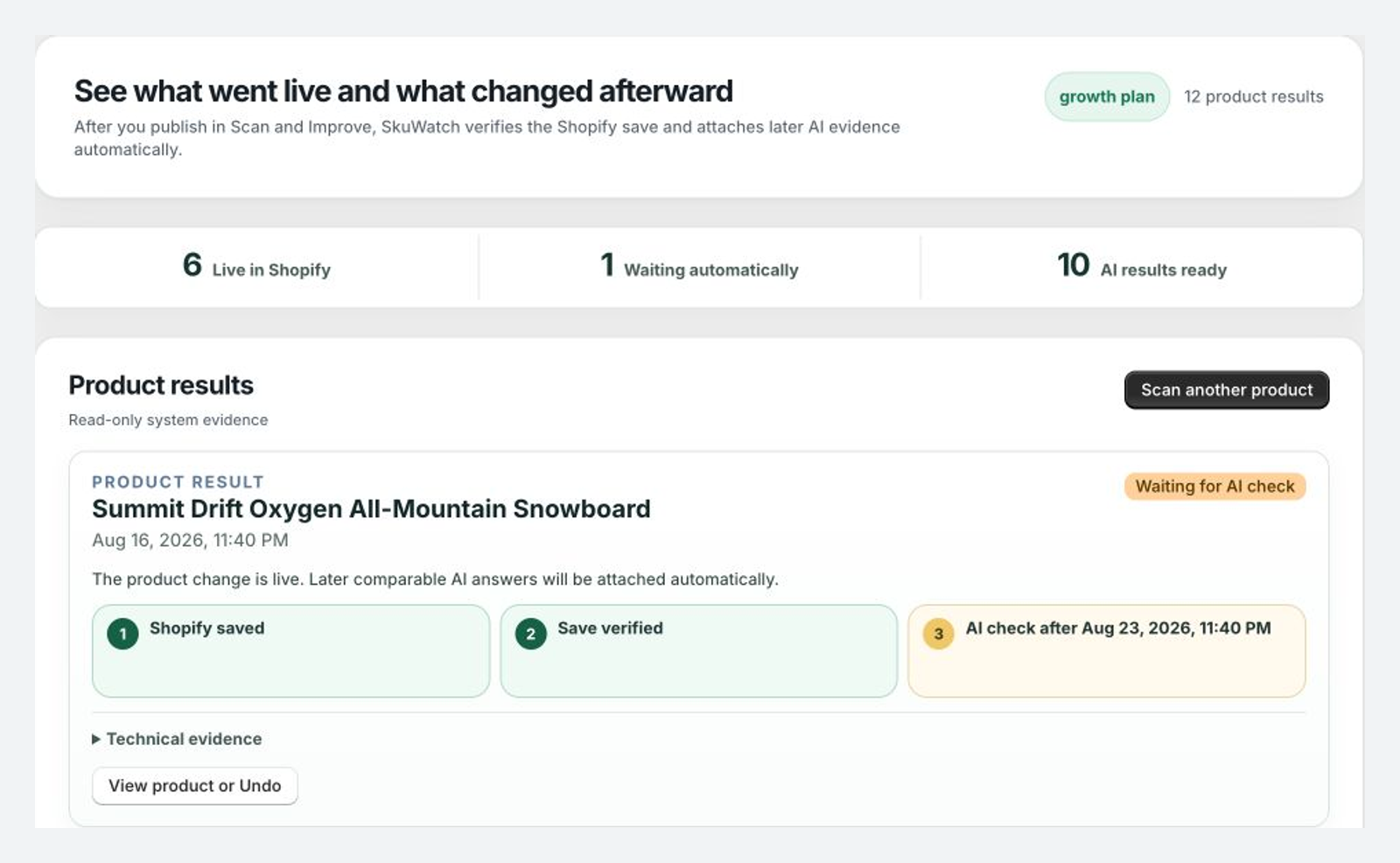
Publish the approved change and check it on your store.
A successful button click is not the end. Verify the Shopify save, inspect the public output, and preserve the previous state.
Publish the approved improvement
Use the Shopify action after reviewing the preview. SkuWatch preserves previous values and re-reads Shopify so the result can be compared with the approved draft.
Enable the approved buyer FAQ
Use Shopify Theme Editor to enable the SkuWatch Product FAQ block where it helps the buying decision. The same approved content becomes visible to shoppers and supplies matching structured output.
- Open the relevant product template in Theme Editor.
- Add or enable the SkuWatch Product FAQ block.
- Place it near product information where buyers can use it.
- Save and open the public product page.
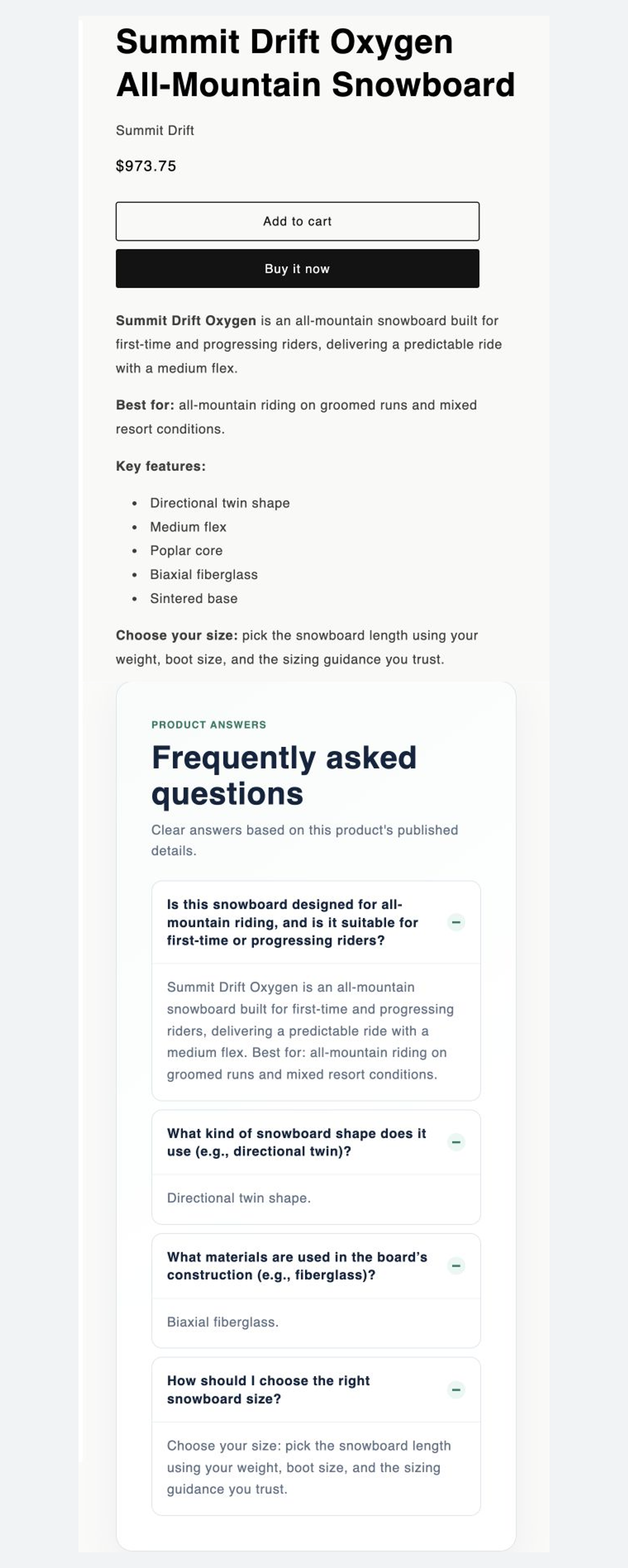
Complete the verification checklist
Saved state
Description and FAQ match the approved preview.
Visible state
Buyers can read the answer on the live product page.
Consistent state
Visible and machine-readable facts do not conflict.
Recoverable state
The previous value and Undo path remain available.
Repeat the check after your product page changes.
AI answers, competitor coverage, catalog data, and availability change. Repeat the same question and preserve comparable evidence.
Use a simple operating rhythm
Flag new products, competitors, and sources.
Connect the answer to missing product evidence.
Prepare a focused description or buyer FAQ.
Verify Shopify, storefront, and history.
Look for changes in mentions, sources, and answers.
Compare like with like
Use the same buyer question, market, and product context. Record the published improvement and later observation together.
| Before | Published improvement | Later observation |
|---|---|---|
| Brand absent; competitors named | Added use case, compatibility, and FAQ | Check product, merchant source, and relevant facts |
| Brand named without product | Strengthened identity and category evidence | Check for product-level mention and context |
| Outdated offer context | Aligned storefront and structured offer facts | Check whether later answers use current facts |
Workflow complete
Repeat the workflow with your next buyer question.
Keep the loop running: Monitor, Explain, Fix, Verify, and Attribute.