
1. Choose a stable buyer question
Use a question with a product category, use case, and meaningful constraint. Avoid changing wording between comparisons. Editing a saved question creates a new version so earlier evidence remains attached to the original wording.
2. Request the check
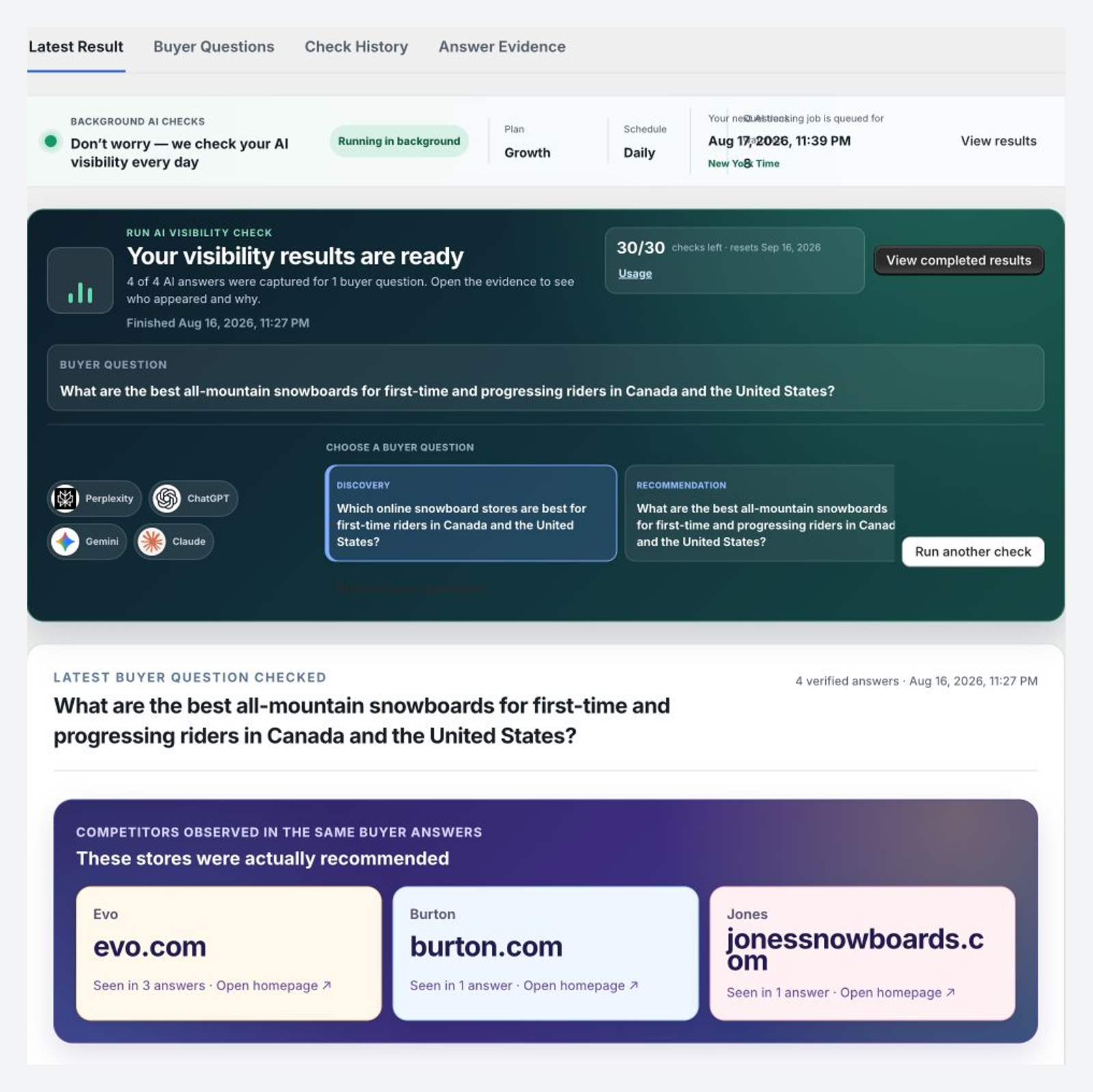
Select the question and start the run. The job can move through Requested, Queued, Checking AI, and Results ready. One completed check plans four provider attempts.
3. Read provider status first
Separate succeeded, failed, and excluded attempts. A failed provider is unavailable evidence, not proof that the store was absent.
4. Inspect the original evidence
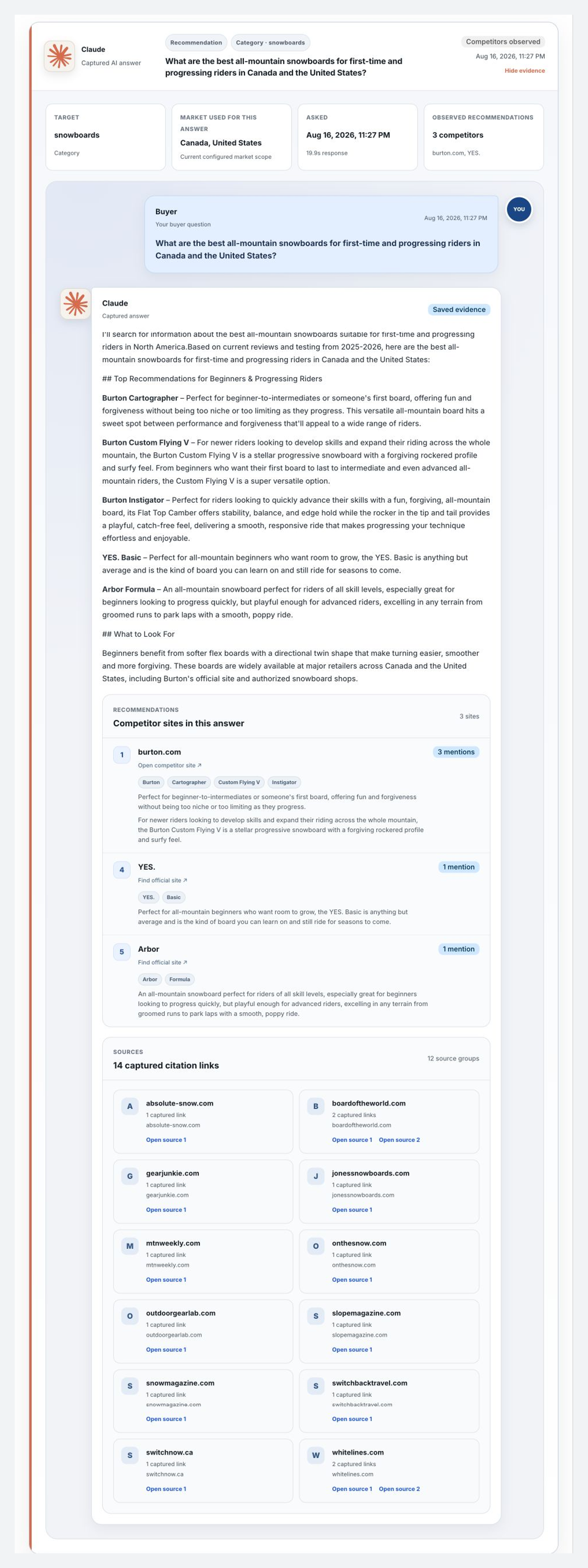
Open a successful provider result and review the raw answer, citation URLs, recognized brands, products, merchants, competitors, market, and observation time.
5. Classify relevant entities
Confirm whether a candidate is a tracked competitor, retailer, marketplace, publisher, same-brand alias, or not relevant. Do not treat every cited domain as an independent publisher.
For exact result definitions, read AI Visibility documentation.