
1. Run the active-SKU audit
Open Scan and Improve and start or continue the current batch. Catalog progress is counted by active variant SKU. Reopening unchanged results does not consume the same audit work again.
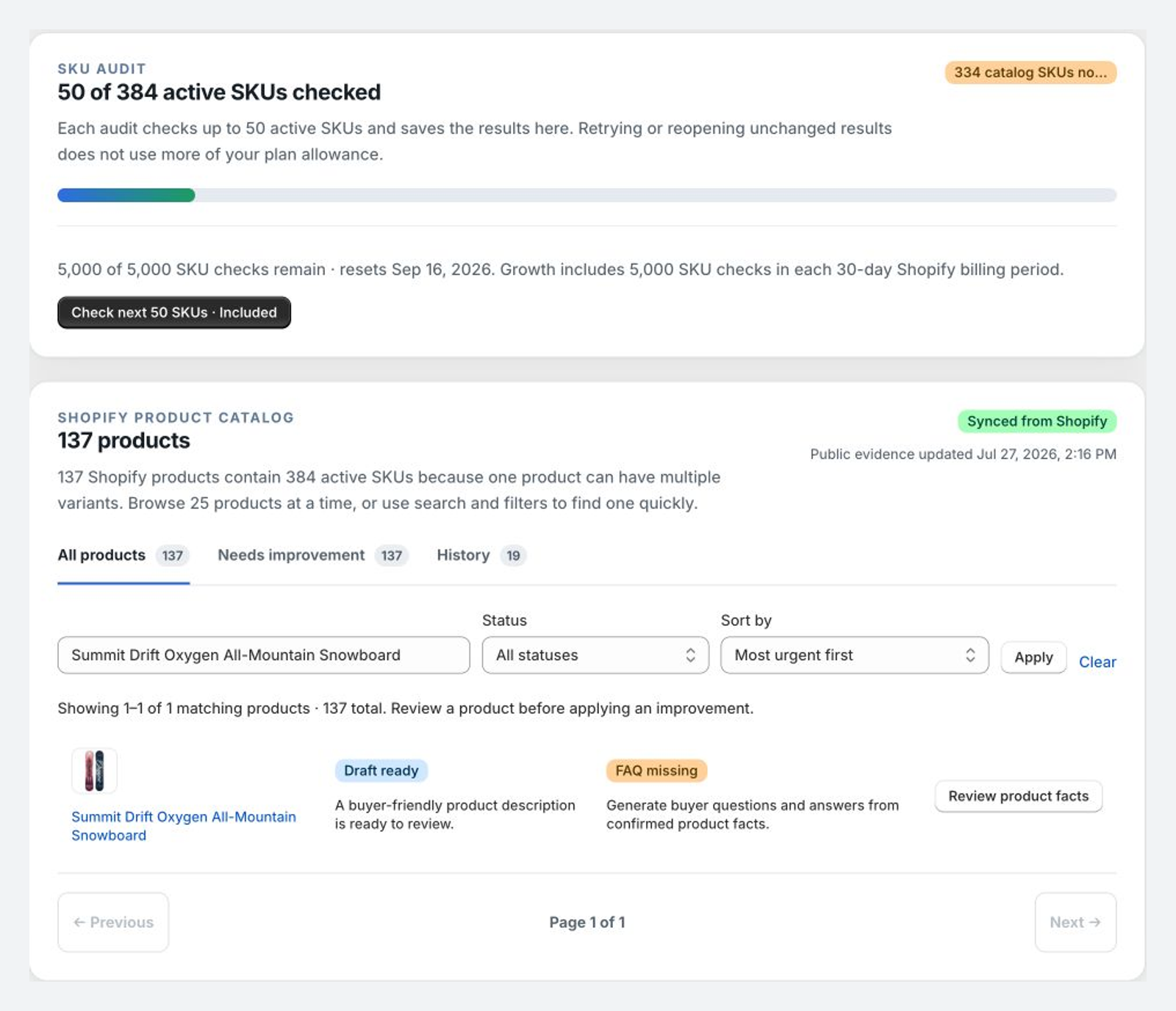
2. Open a product with a concrete gap
Review title, description, fact structure, vendor or brand, product type or category, primary image, alt text, SKU or barcode, price, and variants. Not checked means the audit has not run; it does not mean zero readiness.
3. Add only known buyer details
Add facts the merchant can support. Do not add invented materials, performance, reviews, warranties, origin, medical claims, or compatibility promises.
4. Edit the description and FAQ
The draft remains editable. Review every FAQ question and answer against known Shopify facts and merchant-provided details.
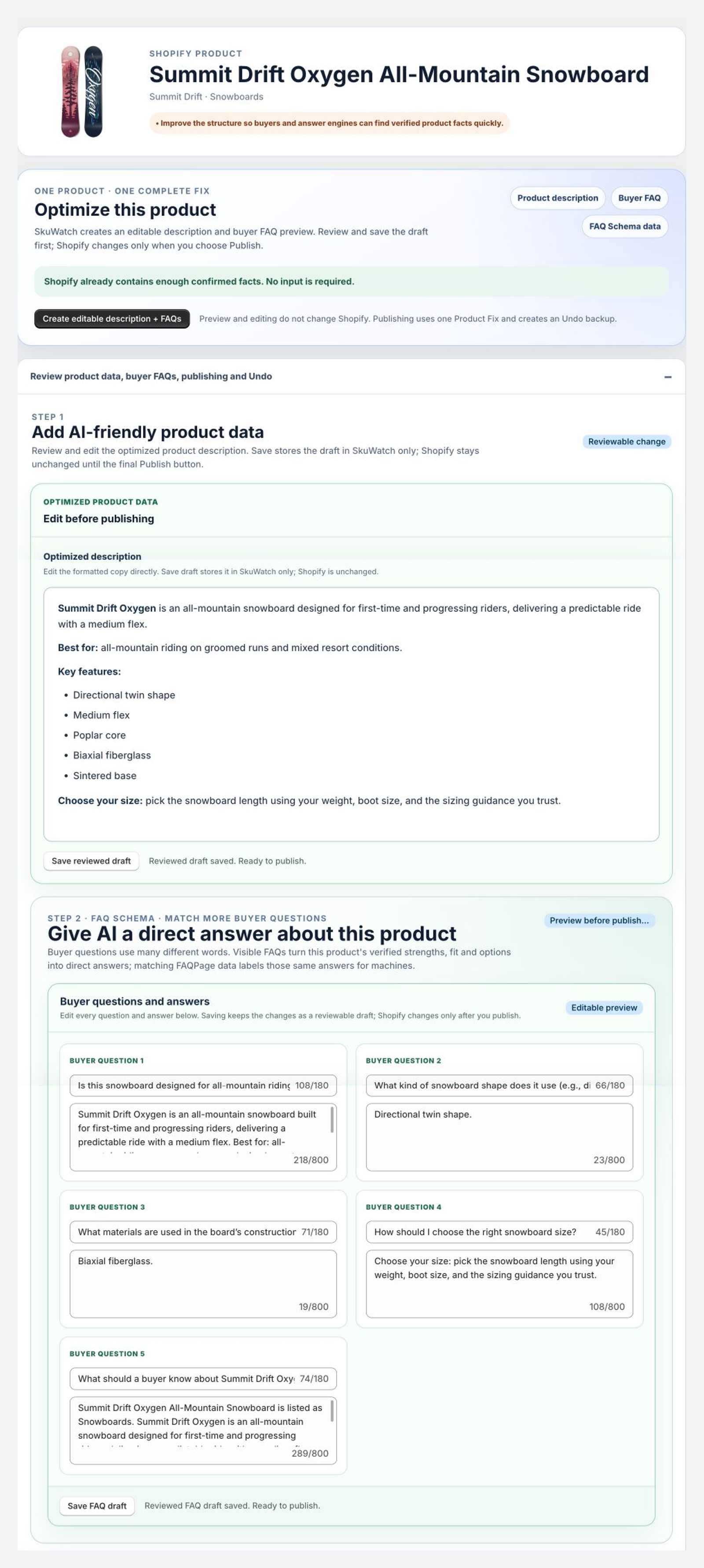
5. Preview the exact write
The current write path is limited to product.descriptionHtml and $app.ai_faq. Titles, taxonomy, tags, images, alt text, price, inventory, SKU, barcode, and variants are not automatically changed.
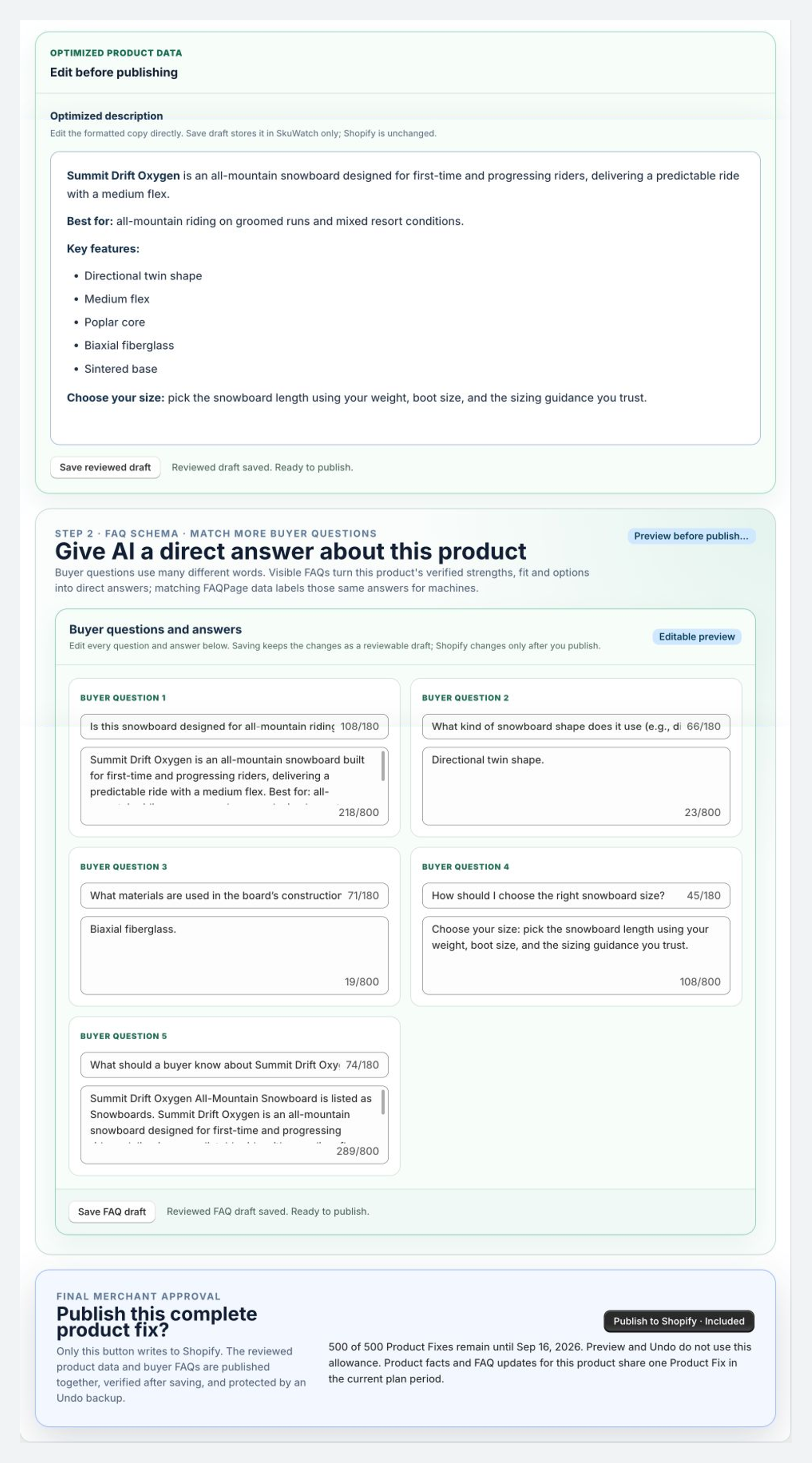
Continue to publish the Product FAQ or verify Results.